 Express Transcript
AI Transcription vs Manual Transcription: What Actually Works in Real Projects?
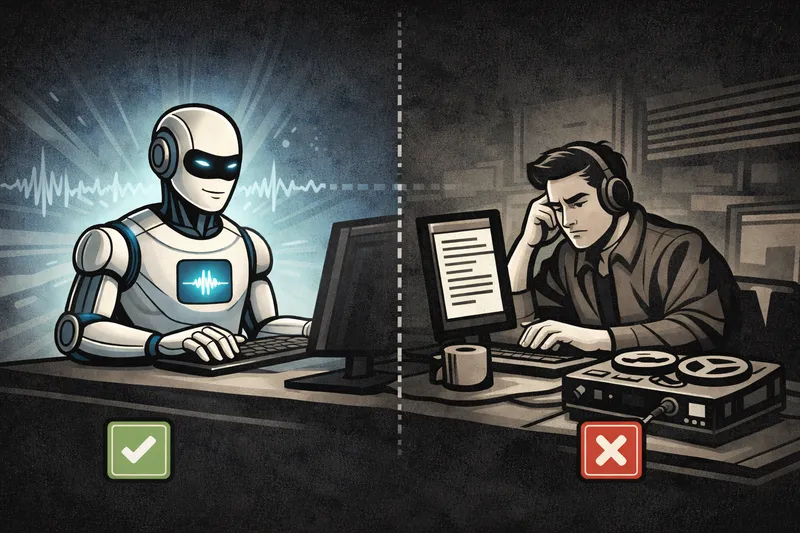
Most people frame this as a simple choice: AI is fast, humans are accurate. In real work, that is too shallow to be useful. The right question is this: which workflow gets you to a trustworthy transcript, subtitles, and final deliverable with less total effort? If you publish content, run meetings, or handle interviews every week, this decision affects cost, turnaround time, and team focus more than most people expect.
This guide is written for practical decisions, not abstract debate. You will see where manual transcription still matters, where AI transcription gives a clear operational advantage, how to test quality without guesswork, and how to choose a setup that holds up on difficult files.
Quick answer: If your team processes recurring audio or video, AI transcription usually wins on turnaround and throughput. Manual transcription still fits cases that need intensive line-by-line judgment, certified deliverables, or strict specialist review.
Why this comparison matters more than ever
Five years ago, manual transcription was often the default because many automated tools produced rough drafts that demanded heavy cleanup. Today, that assumption is outdated for many workflows. Modern AI transcription systems can generate usable first drafts quickly, with speaker labels, timestamps, and subtitle exports in one pipeline.
The shift is not only about speed. It is about where skilled human time should go. A human reviewer is most valuable when they are validating meaning, correcting edge cases, and preparing final output. They are least valuable when they spend hours typing every spoken word from scratch on routine files.
If you need the decision in 60 seconds
| Choose this approach | When it fits | Main tradeoff |
|---|---|---|
| AI transcription first | Recurring meetings, podcasts, courses, interviews, internal ops recordings, subtitle production | You still need a quality check pass on difficult segments |
| Manual transcription from scratch | Specialized compliance scenarios, certified transcripts, extremely sensitive nuance with strict editorial rules | Long turnaround and higher labor cost per hour of source audio |
What manual transcription really gives you
Manual transcription gives full human attention to wording, tone, and intent from the first line. That is useful in situations where a single word has legal, clinical, or contractual weight. Human transcribers can also interpret context that is not spoken directly, such as implied references, incomplete thoughts, and speaker dynamics that matter for downstream decisions.
There is no need to dismiss manual work. It still has a place. But it is important to separate "valuable human judgment" from "expensive human typing." Many teams now get better outcomes by combining both: AI for first-pass production, humans for targeted review and final approval.
Where manual transcription still wins
- Certified or sworn transcript requirements: some formal contexts require a specific human process and traceability chain.
- Highly specialized language review: niche terminology may need domain editors with strict style governance.
- Context-heavy, ambiguity-sensitive cases: projects where interpretation matters as much as raw wording.
- Policy-driven procurement constraints: organizations that cannot use new tooling without a long approval cycle.
These are real scenarios. They are just not most day-to-day transcription workloads.
Where AI transcription creates the biggest practical advantage
1) Cost per minute changes the economics fast
The price gap is usually massive. A common manual rate is around $1.70 per minute, while AI transcription is often around $0.02-$0.03 per minute. On a 60-minute file, that is roughly $102 for manual versus about $1.20-$1.80 for AI. If you process recurring recordings, this difference compounds every week.
2) Turnaround time that changes how teams operate
Manual workflows usually create queue time before anyone even starts typing. AI transcription starts immediately and gives a full draft quickly, which means review can begin right away. For teams that publish frequently or depend on fast meeting follow-up, this changes cadence, not just convenience.
3) Predictable workflow from transcript to subtitles
A typical manual process often involves separate tools and repeated copy-paste between documents. AI-first workflows can keep transcript, timestamps, and subtitle files in the same flow. That reduces handoff errors and saves editing time when publishing SRT or VTT subtitles.
4) Better use of human effort
Human reviewers should spend time on difficult moments: overlapping speech, proper nouns, acronyms, and context checks. AI handles first-pass transcription; humans handle quality decisions. This division of labor is usually more efficient than typing everything manually.
5) Scalability without staffing bottlenecks
When your workload grows from 2 files a week to 20, manual-only systems become operationally fragile. AI transcription can absorb volume spikes more gracefully, especially when your process includes batch handling, shared review, and standardized export steps.
6) Searchable knowledge instead of buried recordings
Raw recordings are hard to scan. A transcript with speaker labels and timestamps becomes an operational asset. Teams can find decisions, quotes, and action items in seconds instead of replaying full files.
A fair comparison framework (without fake benchmarks)
If you want an honest decision, avoid vanity comparisons. Do not compare demo clips. Use one difficult file that represents your real work, then score both workflows on the same criteria.
| What to measure | How to measure it | Why it matters |
|---|---|---|
| Cost per minute | Compare your real rates side by side (manual vs AI) | This is often the largest budget lever in recurring transcription work |
| Total edit time | Minutes from upload/start to final approved output | Real cost driver for recurring work |
| Speaker-label corrections | Count fixes in overlap-heavy sections | Affects quote trust and meeting accountability |
| Timestamp reliability | Check early, middle, and late timeline points | Critical for review and subtitle quality |
| Subtitle cleanup burden | Count line-break and retiming edits in SRT/VTT | Determines publish readiness |
| Export and handoff friction | Track clicks/steps to share final files | Hidden source of team overhead |
Two realistic workflow snapshots
Snapshot 1: creator publishing weekly interviews
A creator records 40-minute interviews and needs short clips plus subtitles. In a manual-only setup, transcription and subtitle prep become the slowest stage. In an AI-first flow, the creator gets a transcript draft quickly, corrects speaker labels in overlap moments, checks timing near the end, and exports SRT for social edits. The result is not "no editing." The result is less repetitive editing and faster publishing rhythm.
Snapshot 2: operations team reviewing weekly internal calls
An ops team needs searchable records from recurring calls with three to five speakers. Manual typing from scratch is expensive and hard to sustain. AI transcription produces a searchable base transcript with timestamps; reviewers then validate key decision points and export the final version for project documentation. The practical gain is faster recall and cleaner follow-ups, not just faster text generation.
How to keep AI transcription quality high
AI transcription quality depends on process, not only tooling. Teams that get reliable results usually follow a simple review routine.
- Start with full files: preserve context before splitting into clips.
- Fix speaker labels first: avoid rewriting sections that will be reassigned later.
- Standardize terms in one pass: names, acronyms, and product vocabulary.
- Validate timestamps in multiple zones: start, mid-file, and late-file checks.
- Run subtitle playback review: inspect line breaks at normal viewing speed.
- Measure edit time: track end-to-end minutes for decision quality.
Even excellent AI output benefits from a final human pass on high-value content. That is a strength, not a weakness. It keeps the workflow realistic and trustworthy.
How audio-to-text.online fits if you choose AI transcription
If your goal is a practical AI-first workflow, audio-to-text.online is positioned for exactly that operating model: fast first-pass transcript production, then targeted editing and export for final delivery.
Capabilities users typically care about most
- Speaker labels: auto-detection for multi-speaker recordings, with editable names on Express plans.
- Timestamps: sentence-level timestamps by default, and word-level timestamps on Express plans.
- Subtitle workflow: SRT/VTT exports with options like split by speaker and short caption styles.
- Export formats: TXT, DOCX, PDF, CSV, SRT, and VTT for different handoff paths.
- Translation workflow: transcript translation into 27+ supported languages after transcription.
- Team utility: shared transcripts, folders, and batch-oriented workflows for ongoing operations.
A 15-minute decision test you can run today
- [ ] Pick one difficult real file (noise, overlap, multiple speakers).
- [ ] Generate transcript and start a timer.
- [ ] Count speaker-label corrections in overlap sections.
- [ ] Validate timestamps at minute 3, minute 12, and near file end.
- [ ] Export TXT and SRT/VTT, then check subtitle readability at 1x.
- [ ] Stop timer at publish-ready output and record total edit time.
Run the same checklist for manual-first and AI-first workflows. Choose the one that gives you lower total effort while keeping quality standards intact.
Final recommendation
Choose AI transcription first if your team handles recurring recordings and needs faster turnaround, searchable transcripts, and practical subtitle output.
Choose manual-first if your work requires certified transcripts or deep specialist review where every line carries legal or formal weight.
If undecided, run the 15-minute test above on your hardest file and compare total edit time, speaker-label reliability, and subtitle cleanup before choosing a long-term workflow.
FAQ
Is AI transcription accurate enough for professional use?
For many professional workflows, yes. The best indicator is your own hard-file test, not marketing claims.
When is manual transcription still the right choice?
Manual transcription is still appropriate for certified deliverables, strict compliance scenarios, and cases where deep contextual interpretation is mandatory.
Does AI transcription remove the need for human review?
No. It usually changes review from full manual typing to a faster targeted edit pass.
What should I compare first: speed or accuracy?
Compare total edit time to final approved output. A fast first draft is not useful if correction time is high.
How do speaker labels affect transcript quality?
They affect attribution, decision traceability, and quote trust. Unstable speaker labels are one of the biggest hidden quality issues in long files.
Which export formats matter most for daily work?
TXT/DOCX are useful for editorial workflows; SRT/VTT are essential for subtitle publishing; PDF/CSV can help with archiving and structured handoff.
Can I use AI transcription for multilingual workflows?
Yes. Many teams transcribe first, then translate transcript output for review and publishing in additional languages.
What is the best way to start without overcommitting?
Run one real file through your current process and an AI-first process, then compare total effort with the same checklist.
Run one side-by-side test on a real file
Use your hardest recording, export transcript plus subtitles, and compare total edit time before deciding your long-term workflow.
Start with a real test file