 Express Transcript
Audio-to-text.online for HR: Job Interviews, Employee Documentation, Meetings
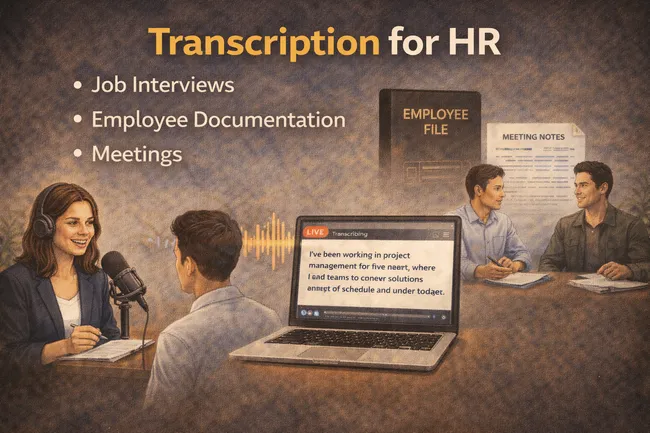
If you work in HR, your week is made of conversations that have to become reliable records: interviews, check-ins, performance conversations, policy briefings, and recurring meetings. That translation from spoken words to documentation is where hours disappear.
Most HR professionals do not need another complicated platform. They need a simple way to capture what was said, organize it, and move on to decisions. Transcription helps exactly there. You stop rewriting notes from memory and start working with a clear draft that is already structured enough to finalize quickly.
Plain version: transcription is not a “nice to have” for HR. It is a time-saving layer that turns meetings and interviews into usable text without starting from zero every time.
Where HR loses time today
Many HR teams still spend late afternoons cleaning notes manually. That usually means replaying calls, hunting for exact quotes, and trying to reconstruct who said what in a fast discussion. This is not just tiring; it also raises inconsistency risk.
Interview cycles
Panel interviews produce dense conversations. Without transcription, reviewers rely on fragmented notes and memory, which slows evaluation and follow-up.
Employee documentation
One-to-ones, feedback conversations, and policy updates need clear records. Manual summaries often miss wording that matters for context.
Weekly HR meetings
Action items, owners, and deadlines get buried when notes are rushed. A transcript makes it easier to extract decisions while details are fresh.
Knowledge continuity
When one coordinator is out, undocumented conversations stall work. Transcript-backed records keep continuity across team members.
How transcription helps HR in real situations
HR moment 1: candidate panel interview
You run a 45-minute interview with three interviewers. By the end, everyone remembers different parts. With a transcript, feedback references the same source text, which shortens alignment time and reduces subjective drift.
HR moment 2: sensitive employee conversation
After a difficult conversation, clear documentation matters. Transcript-first drafting helps you finalize notes with less back-and-forth replay and better wording consistency.
HR moment 3: recurring operations meeting
In weekly meetings, decisions can blur together. A transcript with timestamps makes it easier to pull commitments, assign owners, and keep the next meeting grounded in what was actually agreed.
What HR should look for in a transcription tool
| What to evaluate | How to test it | Why it matters for HR |
|---|---|---|
| Ease of use | Give one non-technical teammate a file and watch first-run success. | HR tools need adoption by everyone, not only tech-comfortable users. |
| Speaker handling | Run a multi-speaker interview and count relabel corrections. | Interview and meeting clarity depends on who said what. |
| Edit effort | Measure minutes from draft transcript to final HR note. | The biggest value is reduced cleanup time, not raw transcription alone. |
| Export options | Check TXT, DOCX, SRT, and VTT outputs. | HR may need formal docs, internal notes, and caption-ready files. |
| Timestamp controls | Check line-level and word-level timestamp options on real files. | Specific timestamp references speed review and follow-up. |
Why audio-to-text.online fits HR teams
The platform is simple to start and does not demand pretraining. Upload the recording, generate transcript, review, and export. The interface is straightforward enough for everyday HR use, including team members who are not technical users.
- Upload interview, call, or meeting audio/video. Start with the original recording for cleaner output.
- Generate transcript draft quickly. Use it as the base instead of writing notes from scratch.
- Refine only what matters. Focus edits on names, policy terms, and key decisions.
- Use speaker and timestamp controls. Keep attribution clear and references easy to verify.
- Export in the format your process needs. Use text documents for records and subtitle formats where needed.
- Translate when needed. For multilingual teams, transcript-first translation helps keep communication consistent.
HR teams often care about speed and reliability more than novelty. audio-to-text.online gives that in a direct way: less manual note reconstruction, faster documentation cycles, and clearer final records.
Benefits vs price: why the value gap is usually obvious
For HR, the real cost is not only subscription price. The larger cost is staff time spent replaying calls and rewriting notes. If transcription removes even part of that repetitive work, value accumulates every week.
As of February 10, 2026, pricing can start around $0.0059 per minute on audio-to-text.online. In day-to-day HR terms, that is often much smaller than the internal time cost of manual post-meeting documentation.
Cost varies by plan, selected features, and language; verify current details on the live pricing page.
One honest way to evaluate ROI: pick three normal HR recordings, process them with your current method and with transcript-first editing, then compare total time to finalized records.
What HR can obtain from one transcription cycle
- Cleaner interview documentation with fewer memory gaps.
- Faster post-meeting summaries with timestamp references.
- More consistent employee conversation records.
- Better continuity when team members hand off tasks.
- Ready exports for internal docs and communication materials.
- Optional translated text for multilingual employee communication.
Final take
HR teams do not need more complexity. They need repeatable clarity. Transcription gives that by turning spoken conversations into draft documentation that is already usable. audio-to-text.online keeps the process simple enough for day-one adoption and powerful enough for ongoing interview and meeting cycles.
Try it on one normal HR week
Use a real interview recording, a real employee conversation, and one real meeting. Compare total documentation time against your current approach and decide from results, not assumptions.
Start with a real HR test file