 Express Transcript
Video and Audio Transcription For Content Creators: Honest Guide
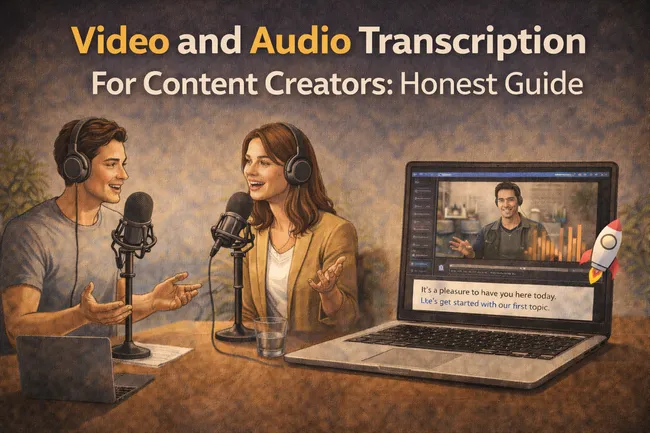
If you publish videos, podcasts, reels, tutorials, or interviews, transcription is no longer a side task. It is part of distribution. A solid transcript gives you subtitles, clips, searchable text, faster repurposing, and cleaner translation. That means more content surfaces from one recording session, not more recording sessions.
Most creators discover this late. They spend hours editing a strong video, then lose audience retention because captions are poor, or they skip translation and miss viewers who would have watched in another language. This guide shows where transcription makes the biggest difference and how to use it without turning your week into admin work.
- Why creators now treat transcription like editing, not like an optional add-on.
- How transcripts directly improve discoverability, watchability, and multi-format publishing.
- The exact creator use cases that bring measurable payoff.
- How audio-to-text.online helps you ship faster at very low cost.
Why creators need transcription software now
People consume content in noisy places, on mute, and in short attention windows. If they cannot follow your message quickly, they leave. Good subtitles and clean transcript-derived assets reduce that drop-off.
There is another reason most people miss: transcription is how one video becomes many publishable assets. Without it, every repurpose step becomes manual copywork.
Visibility
Transcripts turn spoken ideas into indexable text. Your content becomes easier to surface through search and easier to quote in newsletters, show notes, and social posts.
Retention
Subtitles help viewers stay with your video in silent autoplay and noisy environments. Better readability means fewer early exits in the first seconds.
Repurposing speed
You can pull hooks, timestamps, quote cards, and short clips from the transcript instead of rewatching the full recording repeatedly.
Audience expansion
Translate transcript-first, then publish localized captions and text posts. This opens access to viewers who would never consume the original language version.
How creators actually use transcription (real creator-style scenarios)
These are not enterprise workflows. This is how solo creators and small teams usually do it when output volume matters.
Snapshot A: Long-form interview channel
Record one 35-minute interview. Generate transcript. Extract five short-video hooks from exact quote lines. Export SRT for the full upload and create platform-specific short captions for clips.
Result: one recording session produces long-form video, shorts, quote post text, and a newsletter summary.
Snapshot B: Educational creator
Publish weekly tutorials. Use transcript timestamps to build chapter notes. Export subtitles to improve lesson followability. Translate transcript into a second language for subtitle version two.
Result: higher clarity for learners and access to a second audience segment without recording twice.
What to prioritize in a transcription tool (creator version)
| Priority | What to check in 10 minutes | Why this matters for creators |
|---|---|---|
| Subtitle quality | Export SRT and test line breaks on a real video clip. | Bad line breaks and mistimed captions hurt watchability quickly. |
| Edit workload | Measure minutes from transcript-ready to publish-ready. | Lower cleanup time means you can publish consistently. |
| Export flexibility | Try TXT, SRT, VTT on the same project. | Creators rarely deliver one format only. |
| Speaker handling | Check multi-speaker clips for stable labels. | Interviews and panel episodes break fast if labels drift. |
| Translation path | Translate transcript and inspect terminology consistency. | You can launch content in new languages faster. |
Two small subtitle problems creators run into every week
Mini observation 1: sentence breaks at awkward words.
A common issue is a caption line ending after filler words like “so,” “and,” or “but,” which makes fast speech harder to follow. The fix is usually one short cleanup pass in the subtitle editor before export.
Mini observation 2: two speakers merged into one subtitle block.
This happens often in interviews and reaction formats. If you split subtitle lines by speaker early, you avoid a longer correction round later when clipping short-form content.
The honest way to increase viewability and reach with transcription
Transcription itself does not create views. It removes friction that blocks views. That is the right way to think about it.
- Subtitles improve comprehension at first glance: viewers understand topic faster and stay longer.
- Transcript-derived hooks improve short-form packaging: you can cut clips around exact phrases that land.
- Translation opens new audience layers: local-language subtitles are often the difference between curiosity and abandonment.
- Search visibility improves when speech becomes text: your ideas are easier to discover and reference.
In short: transcription is an amplification tool for content you already create.
If subtitle structure is your weak point, read the SRT Subtitle Export Guide. If multilingual growth is your goal, use the audio-to-text translation guide right after transcript review.
How audio-to-text.online helps creators ship faster
For creator workloads, the key is moving from raw media to publishable assets without tool chaos. audio-to-text.online is built for that practical path:
- Upload video or audio once. Start with your real source file, not a simplified demo.
- Get a clean first draft transcript. Run a focused edit pass for names, terms, and punctuation.
- Export subtitles your platform can use. Download SRT or VTT with options matched to your publishing style.
- Use subtitle controls for readability. Choose one-line subtitles, short captions (1-2 words), or split subtitles by speaker when needed.
- Translate the transcript for new audiences. Localize from the reviewed text, then export translated outputs.
- Publish faster across channels. Reuse transcript text for descriptions, summaries, posts, and clip captions.
Why the pricing matters more for creators than for enterprises
Creators work on recurring content cycles. If pricing punishes frequency, output slows down. That is exactly why low per-minute cost changes behavior: you can transcribe more episodes, more drafts, more experiments, without second-guessing each upload.
As of February 10, 2026, pricing on audio-to-text.online can start around $0.0059 per minute. For creator cadence, that makes transcript-first publishing realistic as a default habit, not an occasional luxury.
Cost varies by plan, features, and language; verify current details on the live pricing page.
What you can obtain from one transcribed upload
- Ready-to-use subtitles for your primary video.
- Alternative subtitle versions for different viewing contexts.
- Translated transcript outputs for multilingual publishing.
- Quote-ready text for social clips and thumbnails.
- Faster script iteration from your own spoken drafts.
- A reusable text archive of your content ideas.
A creator test to run this week
Take one of your normal uploads, not your cleanest recording. Run this quick comparison:
- Transcribe and export subtitles.
- Measure total edit time until publish-ready captions.
- Translate transcript to one additional language.
- Create one short clip using transcript lines as hooks.
- Compare total production time versus your old process.
That test gives you an answer grounded in your real output style, not in a feature checklist.
Try one normal episode and compare total edit time
Use a regular upload from your schedule, generate transcript, export subtitles, and translate one version. Then compare total cleanup time against your current process.
Run a neutral creator test