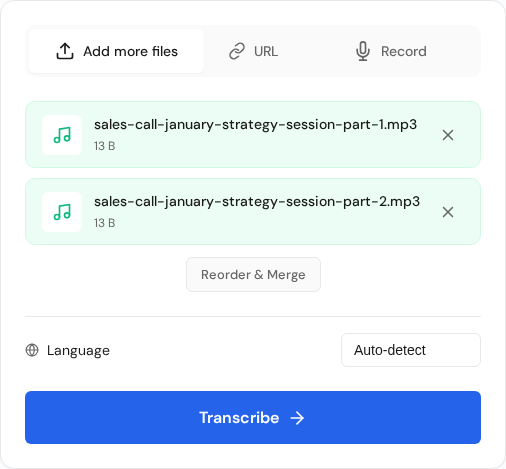
Batch upload in action with multiple files queued and ready for reorder + transcribe.
Overview
Batch processing helps you upload many files at once and export results together.
Batch upload workflow
Prepare files and use consistent naming.
Upload multiple files in one request.
Monitor progress from the dashboard.
Use bulk export to download or share results at once.
Best practices
Keep files under your plan size limits.
Split very long recordings into parts.
Apply the same settings across the batch for consistency.
Recommended batch workflow
Use a consistent upload flow so every file is easy to identify and review later. Start by grouping files by project, then apply a naming pattern before upload. This avoids confusion when dozens of transcripts finish around the same time.
Create folders by client, date, or event before upload.
Use clear file names like client-topic-speaker-date.
Upload in logical groups so completed jobs are easier to review.
Run quick QA on the first completed file before exporting all.
 Express Transcript