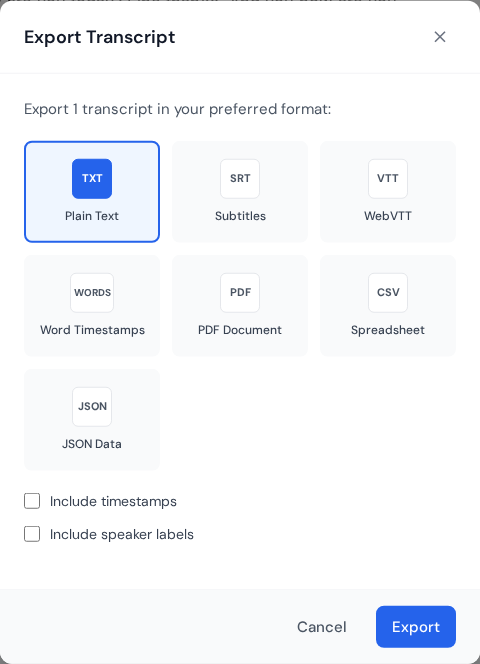
Export modal showing available transcript formats including TXT, SRT, VTT, PDF, CSV, and JSON.
Overview
Choose the format based on where the transcript will be used.
Text and documents
TXT: Plain text for quick edits and copy and paste.
PDF: Clean, shareable document.
CSV: Structured rows for analysis or spreadsheets.
Subtitles
SRT: Most video editors and platforms.
VTT: Web players and HTML5 video.
Tips
Use SRT for Premiere Pro, Final Cut, CapCut, and similar editors.
Use VTT for web embeds and online players.
Share a link when reviewers only need to read.
Format selection by use case
Choose format based on the next tool in your workflow, not preference alone. Picking the right format upfront saves manual conversion and reduces formatting drift across teams.
TXT: Fast plain text for notes, search indexing, and automation pipelines.
DOCX: Best when collaborators need comments and tracked edits.
PDF: Good for approvals and fixed layout sharing.
SRT/VTT: Required for subtitle workflows and media publishing.
Export QA checklist
Open the exported file in the final destination app.
Check timestamps, speaker names, and paragraph breaks.
Verify special characters and non-English text rendering.
Use versioned filenames for every new export pass.
Need a hand?
Our support team can walk you through this workflow.
 Express Transcript