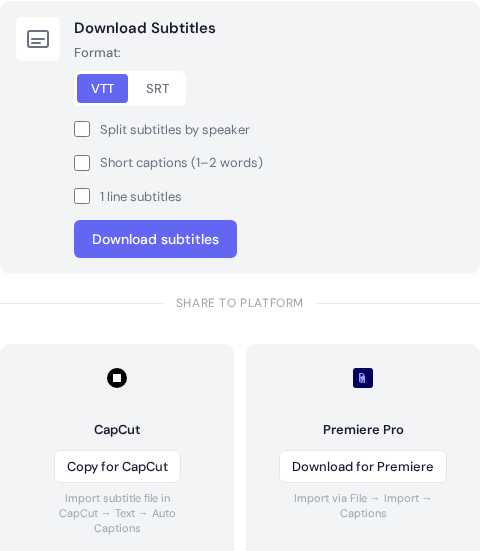
Subtitles tab with style controls like short captions, single-line mode, and split by speaker.
Overview
Pick a subtitle style that matches the platform and viewing speed.
Style options
One-line subtitles: Clean reading for long-form content.
Short captions: 1 to 2 words for fast social clips.
Split by speaker: Great for interviews and panels.
Timing and readability
Keep lines short enough to read comfortably.
Review fast sections and adjust timing if needed.
Check names and terminology before exporting.
Style decisions that affect watch time
Subtitle style is not only visual. Line length, cue timing, and reading speed directly affect retention. Keep captions short enough to read comfortably without pulling focus away from the video.
Use 1 to 2 lines per cue for most content.
Avoid breaking names or key phrases across lines.
Keep style consistent from first cue to last cue.
Use high-contrast text for mobile readability.
Pre-publish subtitle QA
Preview on desktop and mobile screens.
Check fast dialogue scenes for cue overlap.
Review punctuation consistency across cues.
Export both SRT and VTT when distributing widely.
Need a hand?
Our support team can walk you through this workflow.
 Express Transcript