Invite teammates, set access, and organize projects.
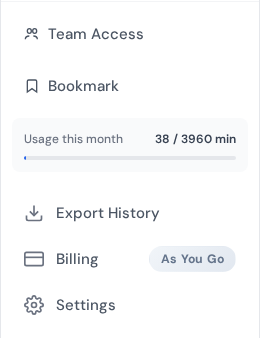
Team access entry point in the workspace sidebar for collaboration management.
Overview
Keep team work organized by using folders, clear naming, and shared access.
Set up your workspace
Create folders for clients, projects, or departments.
Use consistent naming for transcripts and files.
Invite collaborators
Add team members from your account settings.
Choose access levels based on who needs to edit or view.
Share and deliver
Use shareable links for quick review.
Export final versions to PDF or SRT when you deliver work.
Use export logs to keep track of what was shared.
Team setup blueprint
Collaboration works best when each role has clear ownership: uploader, editor, reviewer, and approver. Assigning responsibilities early prevents duplicate edits and missed deadlines.
Invite teammates with role-appropriate permissions.
Define who handles first-pass cleanup vs final QA.
Use shared naming standards for files and exports.
Create a weekly review process for open transcript tasks.
Operational guardrails
Keep one owner per project to resolve conflicts quickly.
Document your delivery checklist in a shared note.
Use comments/notes instead of editing same section in parallel.
Archive completed projects with final approved exports.
Collaborate without chaos
Set up team access and share transcripts securely.
 Express Transcript