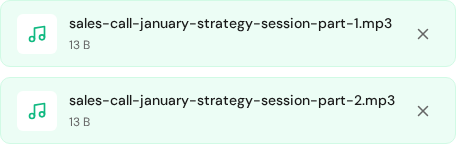
Upload queue state used for troubleshooting file readiness before starting transcription.
Overview
Most issues are caused by file size limits, unstable connections, or unsupported formats.
Upload errors
Check file size and duration against your plan limits.
Convert uncommon formats to MP3, WAV, M4A, MP4, or MOV.
Retry on a stable network or in a private browser window.
Processing stuck
Refresh the dashboard and wait a few minutes.
Re-upload the file if the status does not change.
Split very long files into smaller parts.
Empty or very short transcript
Make sure the file actually contains audio.
Re-export with a standard codec like AAC or WAV.
Avoid password-protected or DRM content.
Contact support
Include your account email, the file name, and a short description of what happened.
Rapid diagnostic flow
When processing fails, troubleshoot in this order: source file validity, network reliability, browser state, then account or plan constraints. Following this sequence solves most issues in minutes.
Test with a short known-good MP3 or WAV sample.
Retry upload in a private window with extensions disabled.
Check if the same file opens and plays locally without errors.
Re-export source media with a standard codec if needed.
When contacting support
Include exact error text and approximate timestamp.
Share filename, format, and duration.
Attach screenshot/video of the failing step.
Mention browser + OS so reproduction is faster.
Need a hand?
Our support team can walk you through this workflow.
 Express Transcript